
Choosing a Wifi Interphone in 2026 means looking beyond camera resolution and advertised range. The right system should let you hear visitors clearly, answer from your phone, and unlock the door reliably when your setup supports it. Start by checking your home’s WiFi signal at the entrance. A strong connection in the living room may weaken behind a concrete wall or metal gate. Small details matter. Consider whether the unit needs existing wiring, a separate power supply, or professional installation. Check compatibility with your router, mobile devices, and any smart-home equipment you already use.
Features are useful only when they work consistently. Look for clear two-way audio, responsive alerts, night visibility, and a weather rating suited to the installation location. Review how the manufacturer describes video storage, account protection, and software updates; avoid assuming every model handles privacy in the same way. That deserves a closer look. Read independent reviews, compare warranty terms, and confirm which functions require a subscription. If possible, test the app and signal strength before committing. Test it at home. A system that performs well in a showroom may behave differently at your front door, especially during busy network hours. This guide explains the key specifications, installation questions, and practical trade-offs to consider in 2026. No single model suits every household, and a little uncertainty is normal. The best choice is the one that fits your entrance, network, budget, and daily habits.
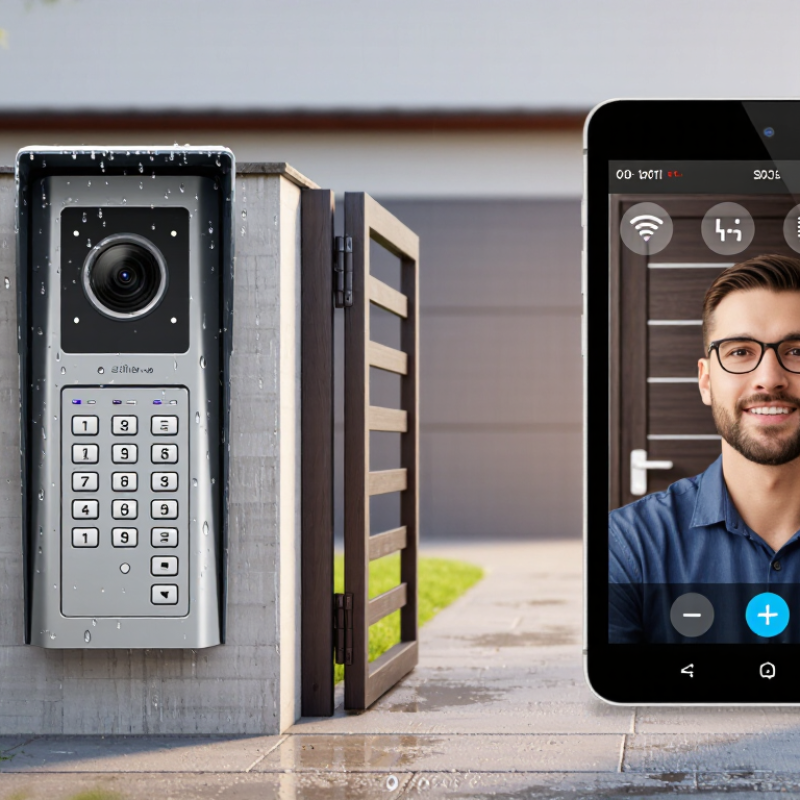
How to Choose a WiFi Interphone in 2026?
Define WiFi Interphone Types by Use Case and 2026 Smart-Home Trends
A WiFi interphone can mean a doorbell-style video unit, an audio-only room station, or a multi-room system linking entrances and indoor handsets. Choose by the task, not by the feature list. For a flat, a door unit with clear two-way audio and reliable phone alerts may be enough. In a larger home, indoor stations can help when phones are charging or out of reach. That matters.
In 2026, look for systems that fit your existing home network and connect sensibly with other smart-home devices. A visitor announcement might trigger an indoor light, while a compatible display can show the entrance camera. Check whether these functions work locally or depend on internet access. Ask how recordings are stored, who can access them, and how long software updates are expected. Small details count.
WiFi quality deserves a real test. Stand near the entrance and check signal strength before choosing a unit; brick walls and metal doors can weaken coverage. Test it. A mesh network may help, but it cannot fix every placement problem. I would also compare night images, microphone clarity, and delay during a live call, rather than trusting a bright display or long feature list. Some specifications look impressive but say little about daily use. One trade-off is easy to miss: more connected features can mean more setup and privacy settings to manage.

Compare WiFi 6 (9.6 Gbps) and WiFi 7 (46 Gbps) Capacity
The headline figures describe theoretical maximum capacity, not the speed one interphone will receive. WiFi 6 can reach 9.6 Gbps across supported bands and devices, while WiFi 7 can reach 46 Gbps under ideal conditions. Real performance depends on your router, connected devices, walls, and nearby network traffic. A brick wall can matter more than a bigger number.
For a door camera sending clear video and audio, WiFi 6 is often ample in a typical home. WiFi 7 may help when several devices stream, game, or transfer large files at once. Its newer features can improve how compatible devices share network resources, but every part of the connection must support them. Check coverage at the entrance, not just the router’s advertised capacity. A quick signal test beside the door can reveal weak spots.
Tips: Compare supported WiFi bands and check whether the interphone supports your router’s standard. Test with the door closed, since metal frames and dense walls can weaken signals. Leave some capacity for other devices. A faster network is not automatically a better interphone connection; stability matters more. And, honestly, coverage can still disappoint.
How to Choose a WiFi Interphone in 2026?
For a WiFi interphone, treat 1080p at 15 frames per second as a practical starting target, not a guarantee of sharp footage. ITU-R Recommendation BT.709-6 defines 1920 × 1080 HDTV formats, while 15 fps can reduce data use compared with smoother video. A visitor’s face should remain clear at the gate, even when they turn or move. Test in daylight and after dark; low light can soften detail, and compression may blur quick motion. Small but important.
For audio, ITU-T Recommendation G.711 specifies 8 kHz sampling and 8-bit samples, producing a 64 kbps voice stream. That figure is audio payload, not the full WiFi traffic; packet overhead adds more. Keep the microphone close to speaking height, then listen for clipped syllables, wind, and echo from a hard entryway wall. These targets need real-world checks. A crowded network, thick exterior wall, or weak router signal can cause delay and dropouts, even when the device meets its stated specifications. I would leave some bandwidth headroom and test calls from the actual installation point. One overlooked detail: a strong signal does not always mean clean audio.
Choosing a WiFi interphone in 2026 means checking how it protects each connection, not just its advertised range. Ask whether the interphone and router support WPA3, then confirm WPA3 is enabled during setup. This helps protect the wireless link, but it does not secure every account or remote session. One layer only.
For app or cloud connections, look for TLS 1.3 support and clear information about how connections are authenticated. A lock icon alone is not enough; check the device’s security documentation or ask the seller how updates and certificates are handled. It is easy to miss these details during a rushed installation. That matters.
Use NIST SP 800-63B as a reference for account and authentication controls, not as a product certification. Check for protections against repeated login attempts and support for multifactor authentication where available. Review account recovery too: a secure login can be weakened by an easy-to-guess recovery process. Test the setup with a separate user account, and see whether access can be revoked when a phone is lost. Security claims deserve verification; a tidy specification sheet may still leave practical questions unanswered.
Verify WPA3, TLS 1.3, and NIST SP 800-63B Security Controls
NIST SP 800-63B Revision 4 sets a 15-character minimum for single-factor passwords and an 8-character minimum when a password is used only as part of multi-factor authentication. Verifiers should allow passwords of at least 64 characters. For a WiFi interphone, also confirm WPA3-Personal support (including SAE and protected management frames) and TLS 1.3 support with proper certificate validation. NIST guidance concerns authentication; it is not a product certification.
For a WiFi interphone, plan around the signal at the door, not just the router’s advertised range. IEEE 802.11ax, also called Wi-Fi 6, works on 2.4 and 5 GHz; 6 GHz requires Wi-Fi 6E support. The 2.4 GHz band usually reaches farther through walls, while 5 GHz often offers more capacity nearby. A thick concrete wall or metal security door can still weaken either signal. Test where the interphone will actually sit.
Band choice matters more than chasing the widest channel. Wi-Fi Alliance’s 6 GHz overview reports up to 1,200 MHz of additional spectrum in the United States, though availability varies by region. Wider 160 MHz channels can increase peak capacity, but they use more spectrum and may be harder to sustain in crowded areas. Cisco’s Annual Internet Report forecast public Wi-Fi hotspots growing from 169 million in 2018 to 628 million in 2023, a reminder that congestion deserves attention. For a stable call, compare 2.4 and 5 GHz at the entrance, then use 6 GHz only when both devices support it and the signal remains strong. A tidy floor plan can mislead. Test with the door closed, and recheck after installation; I would not assume one speed test tells the whole story.
| Planning Factor | 2.4 GHz | 5 GHz | 6 GHz | Practical WiFi Interphone Guidance |
|---|---|---|---|---|
| 802.11ax support | WiFi 6 can operate on 2.4 GHz. | WiFi 6 can operate on 5 GHz. | WiFi 6E extends WiFi 6 operation into 6 GHz; device and regional support are required. | Confirm that both the interphone and access point support the band and WiFi generation you plan to use. An 802.11ax label alone does not guarantee 6 GHz support. |
| Typical propagation | Often provides better reach through walls than higher bands, but is commonly busier. | Often offers a useful balance of capacity and coverage. | Usually has less reach through walls than lower-frequency bands at comparable conditions. | Do not choose a band from frequency alone. Building materials, access-point placement, antenna design, interference, and client transmit power all affect coverage. |
| Channel width options | 20 MHz is a common choice; 40 MHz may be available but can increase interference and reduce channel reuse. | 20, 40, 80, and, where supported and permitted, 160 MHz. | 20, 40, 80, and, where supported and permitted, 160 MHz. | For dependable interphone service, start with 20 or 40 MHz where suitable. Wider channels can increase peak capacity but are not a substitute for good coverage. |
| 160 MHz considerations | Not a standard practical 160 MHz option for this band. | Uses a broad block of spectrum; channel availability and use may be affected by local rules and Dynamic Frequency Selection (DFS) requirements. | May be available on compatible WiFi 6E equipment, subject to regional spectrum rules and device support. | Use 160 MHz only when both endpoints support it and a site survey confirms a clean, usable channel. It may leave fewer channel choices and can be more vulnerable to interference across its wider span. |
| Channel planning | In regions using the common 2.4 GHz plan, 20 MHz channels 1, 6, and 11 are often selected to avoid overlap; permitted channels vary by country. | Available channels and DFS rules vary by country. Nearby networks and radar-detection requirements can affect channel selection. | Available channels and permitted power levels vary by country and device category. | Check local regulations and the access point’s channel plan. Avoid assuming the same channel set is legal or available everywhere. |
| Interference and congestion | Often shared with Bluetooth and many household devices, so congestion can be significant. | May be less congested than 2.4 GHz in some locations, but neighboring networks can still compete for airtime. | Can offer additional spectrum where supported, but availability and coverage depend on the local environment. | Scan the actual installation area. A clearer channel and well-placed access point matter more than selecting a band based only on its headline speed. |
| Coverage validation target | For voice-oriented WiFi planning, approximately −67 dBm or stronger received signal is a commonly used design target; it is not a guarantee of call quality. | Measure at the interphone’s installed position, including doorways and other weak spots. Also check signal quality, packet loss, roaming behavior, and call performance under load. | ||
| Access-point placement | Coverage depends on the complete radio path, not just the access point’s advertised range. | Place access points in open, central locations where practical. Test through the actual walls, floors, doors, and exterior materials between the access point and interphone. | ||
| Recommended selection approach | Consider when reach and compatibility are priorities and the band is not overly congested. | Consider for a balance of capacity and coverage when the interphone supports it. | Consider when both devices support WiFi 6E and measured coverage is sufficient. | Choose the band and channel width based on an on-site test. Favor stable coverage and reliable two-way audio over maximum theoretical throughput. |
Planning note: Actual coverage, channel availability, and performance vary by country, hardware, firmware, building construction, interference, and network load. Verify device specifications and local regulations, then test the installed interphone at its final location.
Copyright ©2024 Elephant Lifting Products | All rights reserved.
38381 N Robert Wilson Rd, Gonzales, LA 70737 USA
Toll Free: (888) 844-6113 | Phone: (225) 644-6113 | Fax: (225) 644-6695
Email: sale@floralift.org