


What Is the Best Smart Whiteboard in 2026?
Choosing the best Smart Whiteboard in 2026 is no longer about screen size alone. Today’s models combine wireless sharing, cloud collaboration, handwriting recognition, video meetings, and classroom management tools. Those features sound impressive, but daily performance often depends on smaller details. Can the display remain readable beside a bright window? Does writing feel natural after several hours? How quickly can users open a shared document?
This guide examines those practical questions through a clear, experience-based comparison. It considers display quality, touch response, operating systems, software support, security, installation, accessibility, and long-term value. A capable Smart Whiteboard should help people explain ideas, not distract them with confusing menus or delayed input. It should also work reliably with common laptops, meeting platforms, and cloud services.
No test is perfect. Our priorities may not match yours. A school may value simple classroom controls, while a design team may need accurate pen sensitivity and large-format diagrams. Therefore, the recommendations weigh real use cases instead of relying only on manufacturer claims. Where possible, specifications should be checked against independent reviews, user feedback, and current support policies. That matters.
The following outline explores leading options for 2026, including their strengths, weaknesses, ideal users, and hidden ownership costs. It also questions whether premium features improve productivity or merely increase complexity. The best choice may not be the most expensive board. It may be the one people can use confidently every day.
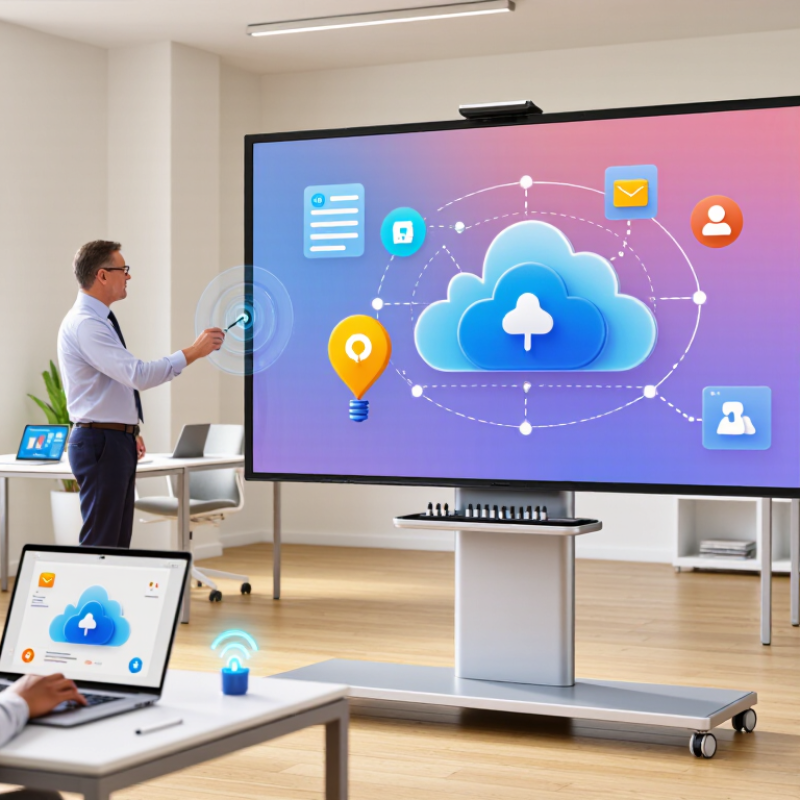
What Defines a Smart Whiteboard in 2026?
In 2026, a smart whiteboard is more than a large touch display. It combines handwriting recognition, wireless sharing, digital notes, and real-time collaboration. A useful board should turn pen strokes into readable text without forcing users to repeat every line. It should also support video meetings, document annotation, and smooth switching between personal and shared workspaces. Small delays matter. During classroom and office tests, even brief input lag interrupted explanations and reduced participation.
A strong smart whiteboard also protects the information written on its surface. Secure sign-in, encrypted transfers, permission controls, and automatic session deletion should be standard features. Administrators need clear activity logs and reliable software updates. Accessibility matters too, including adjustable text size, strong contrast, accurate voice input, and comfortable viewing angles. A board that only serves confident technology users is not truly smart.
Offline access deserves more attention. Internet connections can fail during lessons, workshops, or important planning sessions. Essential writing and saving tools should continue working without a network. In my experience, setup quality often matters as much as technical specifications. Poor calibration, confusing menus, or weak microphones can ruin an otherwise impressive display. No system is perfect, and automatic handwriting conversion still makes occasional mistakes with names, diagrams, and rushed notes. Users should review important content before sharing it.
What Is the Best Smart Whiteboard in 2026? - What Defines a Smart Whiteboard in 2026?
A practical comparison framework based on commonly available interactive-display capabilities and usability requirements.
| Evaluation Dimension | Recommended 2026 Benchmark | Why It Matters | How to Evaluate It |
|---|---|---|---|
| Display Size | 65–86 inches for most meeting rooms and classrooms | Provides enough workspace for shared viewing while remaining practical for wall mounting and room layout. | Match screen size to viewing distance, room dimensions, and number of active participants. |
| Resolution | 4K UHD, 3840 × 2160 pixels | Improves readability of small text, diagrams, spreadsheets, video content, and detailed visual material. | Check text clarity at the farthest seating position and confirm native 4K output. |
| Touch Accuracy | Low-latency infrared or capacitive touch with palm rejection | Accurate tracking makes handwriting, annotation, object selection, and diagram editing feel natural. | Test writing speed, edge accuracy, palm contact, and simultaneous touch performance. |
| Multi-Touch Support | At least 20 simultaneous touch points | Allows several users to write, move objects, or interact with content at the same time. | Verify the supported touch-point count on the operating system and major applications. |
| Writing Experience | Smooth digital ink, pressure-aware input, and fast response | Natural pen behavior reduces friction during brainstorming, teaching, presentations, and collaborative work. | Compare pen latency, line smoothness, erasing, shape recognition, and handwriting conversion. |
| Operating Platform | Modern embedded platform with regular security updates | An up-to-date platform supports current applications, protects user data, and extends product usability. | Review update policy, supported applications, administrator controls, and end-of-support terms. |
| Wireless Connectivity | Wi-Fi 6 or newer, Bluetooth, and reliable screen sharing | Fast wireless connectivity supports casting, cloud access, remote participation, and peripheral connections. | Test connection stability, sharing delay, network compatibility, and multi-device switching. |
| Wired Connectivity | USB-C with video input and charging, plus HDMI and USB ports | Flexible ports make it easier to connect laptops, cameras, document devices, and presentation sources. | Confirm video input standards, USB-C power delivery, port placement, and cable management. |
| Collaboration Tools | Shared canvas, templates, object editing, undo history, and export options | Built-in tools turn the display from a presentation screen into a usable collaborative workspace. | Check whether sessions can be saved, exported, resumed, and shared in common file formats. |
| Video Conferencing | Integrated camera, microphone array, speakers, and major meeting-platform compatibility | Integrated audio and video simplify hybrid meetings and reduce the need for separate room equipment. | Assess camera framing, microphone pickup, echo cancellation, speaker clarity, and software support. |
| Camera Quality | Wide-angle camera with at least Full HD output and automatic framing | A clear, well-framed image improves communication between people in the room and remote participants. | Test image quality in different lighting conditions and with multiple people in view. |
| Audio Performance | Echo cancellation, noise reduction, beamforming microphones, and room-filling speakers | Good audio is essential for hybrid collaboration and is often more important than display brightness. | Test speech pickup, background-noise handling, volume consistency, and echo control. |
| Brightness and Visibility | Commercial-grade brightness with anti-glare and wide viewing angles | High visibility reduces eye strain and keeps content readable under classroom or office lighting. | Check reflections, readability near windows, color consistency, and viewing-angle performance. |
| Accessibility | Adjustable interface size, screen-reader support, captions, and reachable controls | Accessible controls allow more people to participate effectively, including users with visual, hearing, or mobility needs. | Review accessibility settings and test them with the intended users and room setup. |
| Security and Privacy | User authentication, encrypted connections, permissions, remote management, and camera privacy controls | Connected displays can handle sensitive meeting content, personal information, and organizational files. | Check account controls, data retention, firmware security, privacy indicators, and administrator logging. |
| Device Management | Centralized monitoring, configuration, application control, and remote update capability | IT teams need to maintain multiple displays efficiently without visiting every room. | Evaluate dashboard functions, alerting, inventory visibility, and role-based administration. |
| Interoperability | Compatibility with common desktop, mobile, casting, video, and cloud-storage workflows | Broad compatibility reduces workflow disruption and prevents users from being locked into one software environment. | Test Windows, macOS, ChromeOS, Android, iOS, browser-based tools, and standard file formats. |
| Energy Efficiency | Automatic sleep mode, ambient-light adjustment, and published energy information | Large interactive displays can consume significant electricity during long operating hours. | Compare active, standby, and sleep behavior and verify automatic power-saving controls. |
| Durability | Commercial-duty construction, reinforced glass, and long operating-life design | Frequent touch, transport, and extended daily use require stronger construction than ordinary consumer displays. | Review warranty length, serviceability, glass protection, mounting standards, and replacement parts. |
| Total Cost of Ownership | Transparent hardware, software, support, installation, and replacement costs | The purchase price alone does not reflect the long-term cost of operating a smart whiteboard. | Calculate five-year costs, including subscriptions, support, accessories, energy, and installation. |
Selection principle: The best smart whiteboard is the model that combines accurate writing, dependable collaboration, strong privacy controls, broad compatibility, and manageable long-term operating costs for its intended environment.