Why Choose a Cat5 Extender for Your Network?
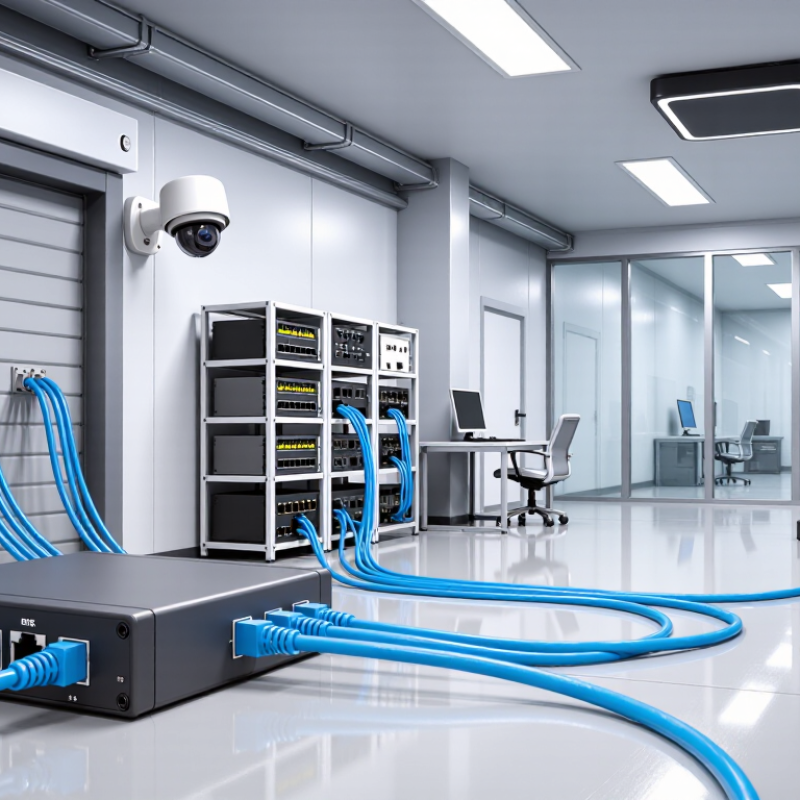
A Cat5 Extender can help connect a network device when a standard cable run cannot reach its location. Think of a workshop access point, a security camera near a loading bay, or a desk in a distant room. Rather than rerouting the entire network, an extender may use existing Cat5 or Cat5e cabling to carry the connection farther. The result depends on the extender’s design, the cable, and the equipment at each end. It is a practical option, not a guaranteed fix.
Before choosing one, check the product’s supported cable type, maximum distance, link speed, and power requirements. Some models need a power source at one or both ends. Cable condition matters, too: a kinked run or poor termination can cause unstable links that look like a device problem. Still, the name can be confusing. Products called “extenders” do not all work the same way, so confirm how the unit handles the signal and whether it matches your network. For a dependable setup, compare its specifications with the needs of your camera, access point, or computer, then test the connection under normal use. A quick test is useful. It may reveal limits that a product label does not.
Cat5 Cable Basics: 100 MHz Bandwidth and Twisted-Pair Construction
Cat5 cable is built from four twisted copper pairs, with each pair carrying balanced signals. The twists help reduce electromagnetic interference and crosstalk from nearby pairs. ANSI/TIA-568.2-D specifies Category 5e performance up to 100 MHz; Cat5 is an older category, so check the cable markings rather than assuming every cable meets the same specification. 100 MHz is a frequency rating, not a promise of 100 Mbps or a measure of internet speed. That distinction is easy to miss.
For a real installation, cable condition and connector quality matter. IEEE 802.3 defines 100BASE-TX Ethernet, which commonly runs over two pairs, while structured cabling standards limit a typical channel to 100 meters. A kinked cable behind a desk or a poorly crimped plug can still cause errors. An extender may help bridge a longer route, but it does not improve damaged cable or guarantee higher speed. It is worth testing the full link.
Tips: Check the jacket for its category rating, keep cable runs away from power lines where practical, and test the link after installation. Small details matter. I would not rely on a cable’s age or appearance alone; that is an imperfect shortcut.
IEEE 802.3 Ethernet over UTP: The Standard 100 m Link Limit
IEEE 802.3 Ethernet links over unshielded twisted-pair cabling are generally limited to 100 metres per link segment. In structured cabling, that commonly means up to 90 metres of fixed cable, plus a combined 10 metres of patch cords. The limit helps maintain reliable signal timing and reduce errors. It is not just a convenient number.
The number is easy to misread. Cable quality, termination, bends, electrical noise, and patch-panel connections can all affect performance before a run reaches 100 metres. A Cat5 extender can help connect equipment beyond a standard link’s reach by regenerating or converting signals, depending on its design. Check its supported cable type, data rate, distance, and power requirements; an extender does not automatically preserve every network speed. For example, a long run past a warehouse aisle may need a different setup from a short office connection. Measure the actual cable route, not the straight-line distance on a floor plan. That small detail is often overlooked. And sometimes, the wiring itself needs fixing.
How Cat5 Extenders Extend Links Beyond 100 m
Standard Ethernet copper links are generally limited to 100 meters, including patch leads. Beyond that distance, signal quality can drop and connections may become unreliable. A Cat5 extender bridges the gap by receiving and retransmitting network data along another cable segment. Many models regenerate the signal, rather than simply amplifying a weakening one. A powered extender placed in a suitable location can make a longer route practical. Some devices also carry power to a remote endpoint, but their distance and power limits vary. Check the supported cable type, data rate, and total link length before installation.
Distance is not free. Each extender and cable segment must match the device’s specifications, and the final speed may be lower than expected. For example, a 150-meter route may need an extender near the midpoint, with power available at that spot. Avoid planning around the advertised maximum alone; leave room for patch cables and real-world conditions. Long runs near electrical equipment can also be more challenging, so test the connection after installation. A small detail, easily missed. I would verify link speed and stability under normal network use, rather than trusting a single link light.
Why Choose a Cat5 Extender for Your Network?
How active extension can carry Ethernet links beyond the standard 100 m cabling limit.
Ethernet copper cabling is generally limited to 100 m per segment. An active extender can regenerate or convert the signal to connect additional cable, making longer runs possible. The distances shown assume segments of up to 100 m; supported range, speed, and extender chaining depend on the equipment, cable condition, and network topology.
Compare Extender Speed, Distance, and Power Specifications
Why Choose a Cat5 Extender for Your Network?
Speed, distance, and power determine whether a Cat5 extender suits a particular link. A basic Cat5 channel commonly supports 100 Mbps Ethernet over up to 100 meters, while Cat5e can support 1 Gbps at that distance when correctly installed. These figures align with Ethernet cabling guidance from TIA and IEEE 802.3. An extender can bridge a longer route, but its advertised speed may fall as the link grows or cable quality declines. A run through a cool office ceiling is not the same as one exposed to heat, interference, or tight bends. Check the extender’s rated distance at your required speed, not just its maximum reach.
Power matters when cameras or access points receive power over Ethernet. IEEE 802.3at specifies up to 30 watts at the power source and 25.5 watts at the device; IEEE 802.3bt raises those limits to 90 and 71.3 watts. Extenders consume some power, and cable loss reduces what reaches the endpoint. Confirm the extender’s input method, output budget, and compatibility with the device. I would still test the complete cable path before installation; specifications do not capture every real-world fault.
Tips: Measure the route, then leave slack for bends and service loops. Compare speed and PoE output at the actual distance. Test with the intended device under load. Small detail, big difference. If the link is marginal, a shorter run or a different cable may be more reliable.
Why Choose a Cat5 Extender for Your Network? Compare Speed, Distance, and Power
| Connection Type | Typical Link Speed | Typical Maximum Distance | Power Requirements | Best Suited For |
| Direct Ethernet connection | Up to 100 Mbps over Cat5; up to 1 Gbps when the cable, terminations, and equipment support Gigabit Ethernet | Up to 100 m (328 ft) for a standard Ethernet channel | No separate extender power; connected network devices require their own power | Short cable runs in homes, offices, and small network closets |
| Single PoE Ethernet extender | Typically 10/100 Mbps or Gigabit, depending on the extender and connected equipment | Usually adds up to one additional Ethernet segment of up to 100 m (328 ft) | Receives power through PoE or a local power supply; power available to the downstream device is reduced by conversion and cable losses | Adding a camera, access point, or other PoE device beyond a standard cable run |
| Multi-hop PoE extension | Commonly 10/100 Mbps; some equipment supports Gigabit | Can extend coverage in additional segments; total distance and number of extenders depend on the equipment and power budget | Each extender and downstream device draws from the available PoE budget; check the source’s IEEE 802.3af/at/bt rating and each device’s consumption | Connecting remote devices across long building corridors or large sites |
| Ethernet-over-copper-pair extender | Variable; link speed generally decreases as the cable run gets longer and depends on the extender technology and cable condition | Some systems operate over several hundred metres; supported ranges vary substantially by equipment and wiring | May use local power adapters, PoE, or both; power delivery over the extended link is equipment-specific | Reusing existing copper cabling where a standard Ethernet link cannot reach |
Note: The 100 m Ethernet limit is a standard channel limit, not a guaranteed reach for every installation. Cat5 extenders are not defined by one universal speed or distance specification; actual performance depends on the extender design, cable category and condition, connectors, interference, and power budget. Check the equipment specifications before installation.
Common Uses: Connecting Remote Cameras, Access Points, and Devices
Why Choose a Cat5 Extender for Your Network?
A Cat5 extender can help connect devices where a standard Ethernet run falls short. Remote cameras are a common example. A camera mounted above a loading bay or at the far end of a hallway may sit beyond the usual cable distance. An extender can carry the connection farther over suitable cabling, depending on its design and the cable’s condition. Check supported distance, data rate, and power requirements before installation.
Measure twice.
Access points can also benefit. Extending a wired link toward a detached office or upper floor may improve placement without relocating the network equipment. For a stable connection, route the cable away from power lines and protect outdoor sections from moisture. Some extenders support power over Ethernet, but compatibility must be confirmed at both ends.
Don’t assume it works.
Networked sensors, intercoms, and other Ethernet devices may be candidates too. Their bandwidth needs vary, so a camera stream and a low-traffic sensor should not be treated alike. A small planning mistake can mean sluggish video or intermittent connections. I’d verify the link with the actual device before sealing the cable route; specifications alone do not reveal every installation problem.